
How Augmented reality (AR) is changing the way we design digital products
Augmented Reality has emerged as a transformative force in digital product design, fundamentally altering how we approach user experience, interface design, and product development.

Denisa Slivovičová
March 20, 2024
6 min read
Augmented reality (AR) is without debate a game-changer in the field of digital technologies at this time. This immersive technology displays virtual 3D elements into the real environment, breaking down the boundaries between the digital and physical space.
Implementation of AR technology into digital products completely changed the way for users to interact with digital content and opened up for designers new ways to think and consider how users interact with virtual objects in the real world. The transition from designing traditional 2D interfaces of the mobile or desktop devices to display virtual 3D spatial objects in real-time through mobile phones or tablets significantly influences and alters the process of designing and involves additional factors to consider when designing AR digital products.
Let's point out some of them, shall we?
The third dimension - depth
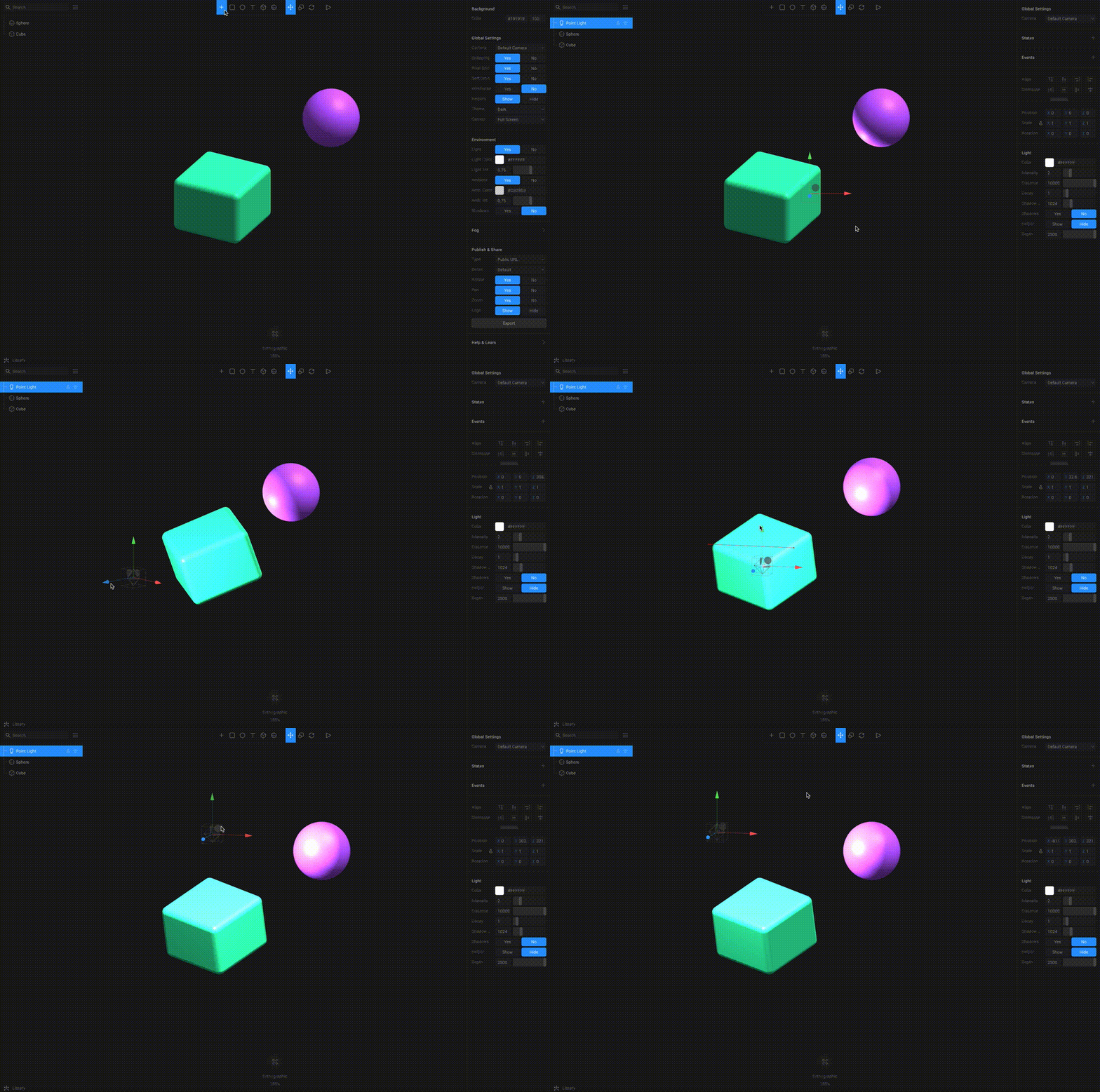
When designing AR products, the designer must take into account not only the horizontal and vertical dimensions of the screen, but also the depth of the scanned three-dimensional space and the mutual interaction between virtual and realistic 3D objects. Designers must consider details such as depth, scaling, perspective, light, textures and shadows, to allow both the digital and real elements to coexist seamlessly and achieve the best possible way of realism. Creating realistic 3D objects can be a challenging task, especially for entry-level designers. An intuitive starting point for designers and illustrators who want to add 3D to their toolkit is one of the many options on the market for 3D design software with real-time collaboration called Spline. Spline allows them to prepare 3D models that contain information about how an object looks like, including color, texture, and density. Scene can be saved with light and right camera view perspective directly to the AR supporting formats. Apple supports and encourages the use of .USDZ format for ARKit applications, however Chrome does not support this format on the web and promotes .glTF. For more complex 3D models can be used programs like Blender, Cinema 4D or 3Ds Max.
 Source: link
New way of navigation and interaction paradigms
When designing 2D mobile applications, it is recommended to reduce tutorials and step by step guidelines, but showing objects in AR is objectively clear for users due to detailed instructions. For better interaction and easier understanding of the AR environment, instructions and intuitive navigation elements must be clearly communicated through animation tutorials, voice telling instructions or body gestures (waving, swiping, or raising user's hands) depending on the user's limitation and context in which the app will be used. If the user must keep distance from the device, the app should not require them to read text instructions or touch the screen in order to interact with the UI. One of the examples is fitness app Places-AS where the user's voice instructs users to raise their hands to start an AR session instead of touching the screen.
 Source: link
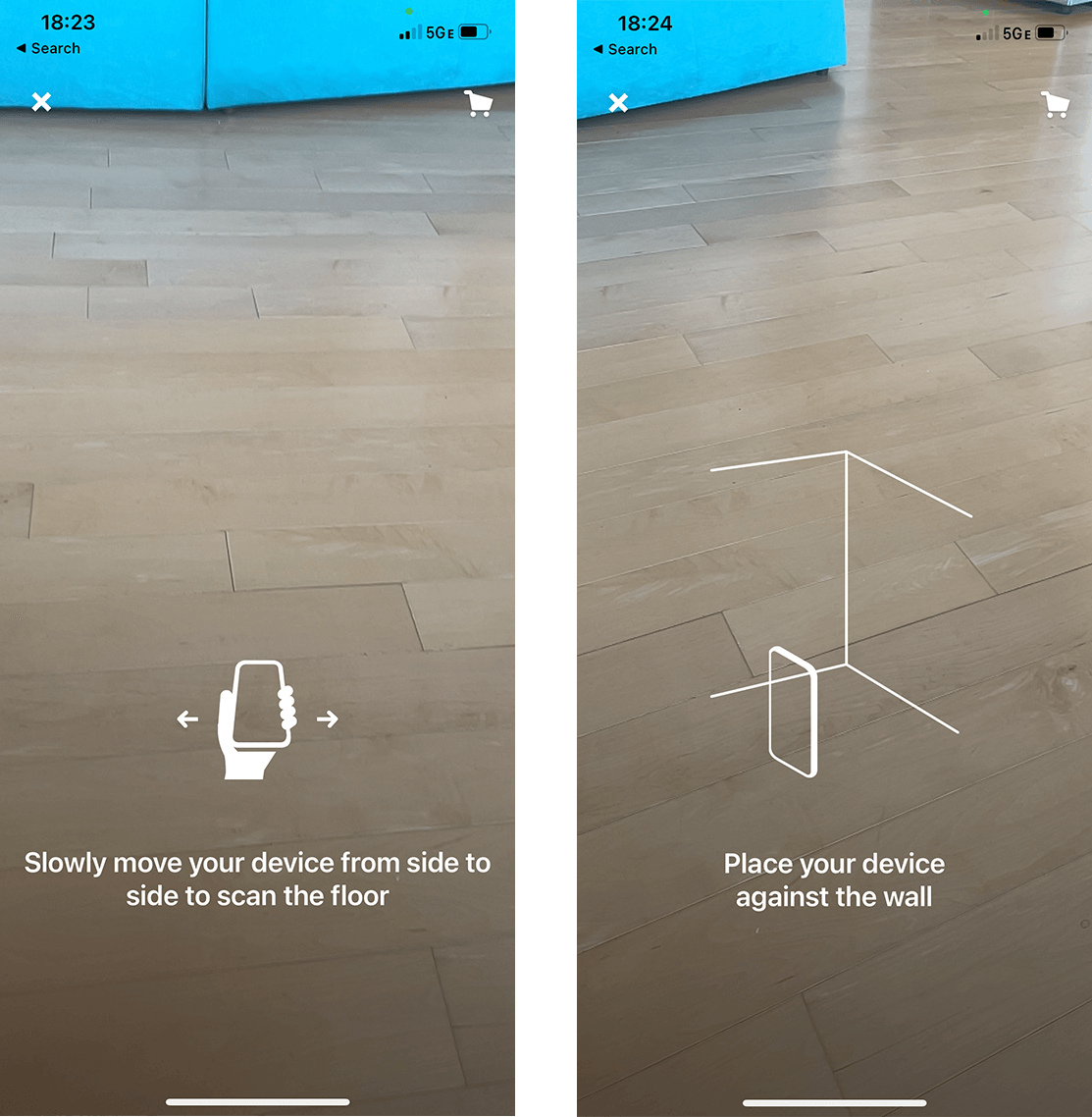
AR technology is still unfamiliar for a lot of users and they usually don't understand the process of mapping and calibrating the phone before showing an AR object in real space. Users don't even know why they have to move their mobile around or focusing on a specific place for an AR object to appear, but clear instructions such as an animated illustration with description can help users to understand separate steps and complete the task successfully.
 Source: link
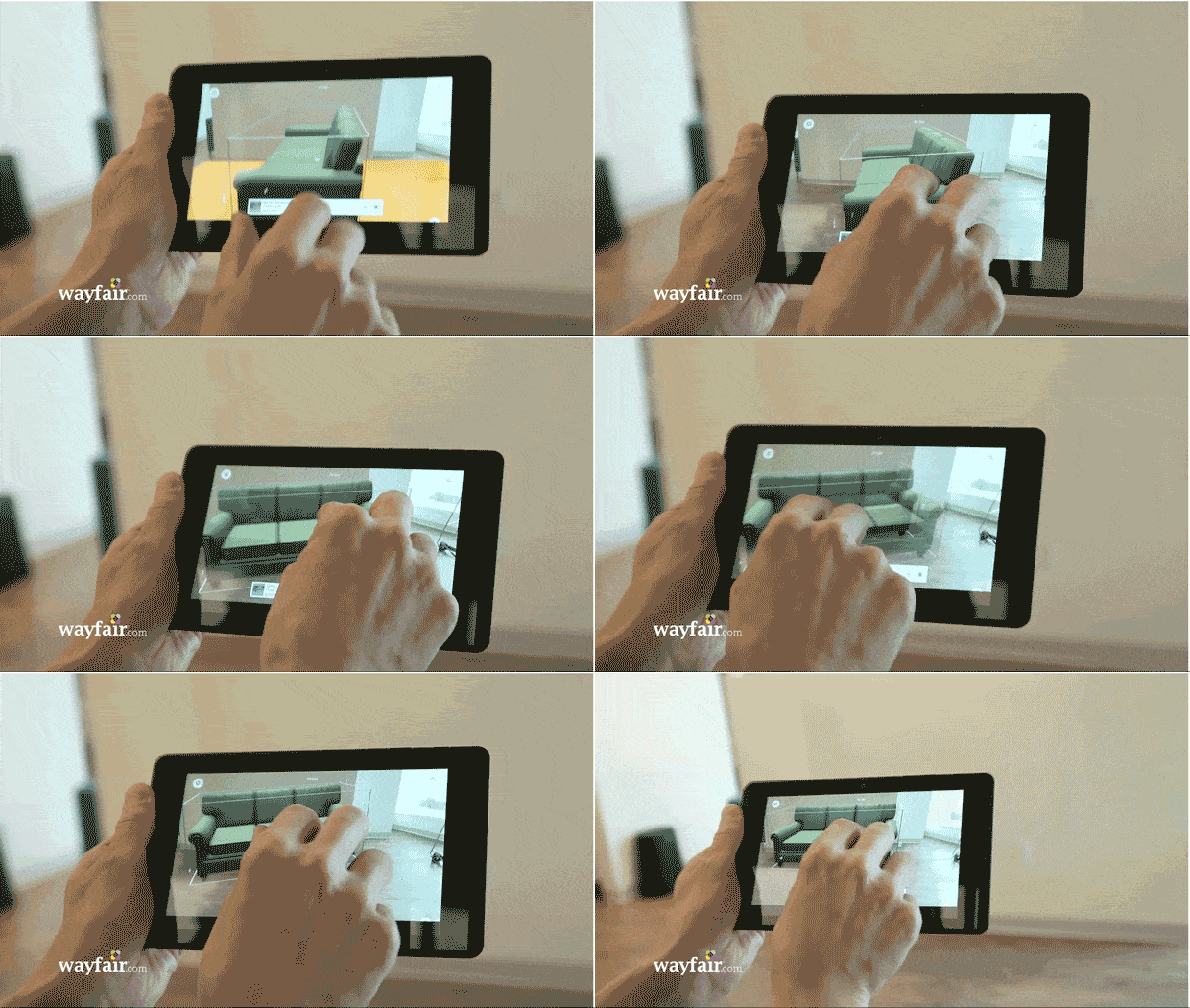
When designing for an immersive interface, it's important to consider also a completely new level of interaction beyond traditional mouse clicks and touchscreen finger taps. In order for users to interact naturally with 3D objects in AR space, various control options must be utilized, such as spatial or intuitive gestures - tapping on an object to select it, swiping to rotate the object in space, pinching to resize the object or relocate it.
 Source: Wayfair app
Environment adaptation of user movement
Virtual content can dynamically change based on the user's movement and orientation. However, the designed environment must maintain usability and coherence as users move differently in physical space and interact with virtual objects from various angles and distances. To enhance the user experience while placing a 3D object in the space, it is beneficial for user to show placement indicators and highlight areas where the object can be placed. A common example is an animated or static square or circle indicator, which represents the perspective of the ground and may also offer a reference for the scale of the content relative to the space.
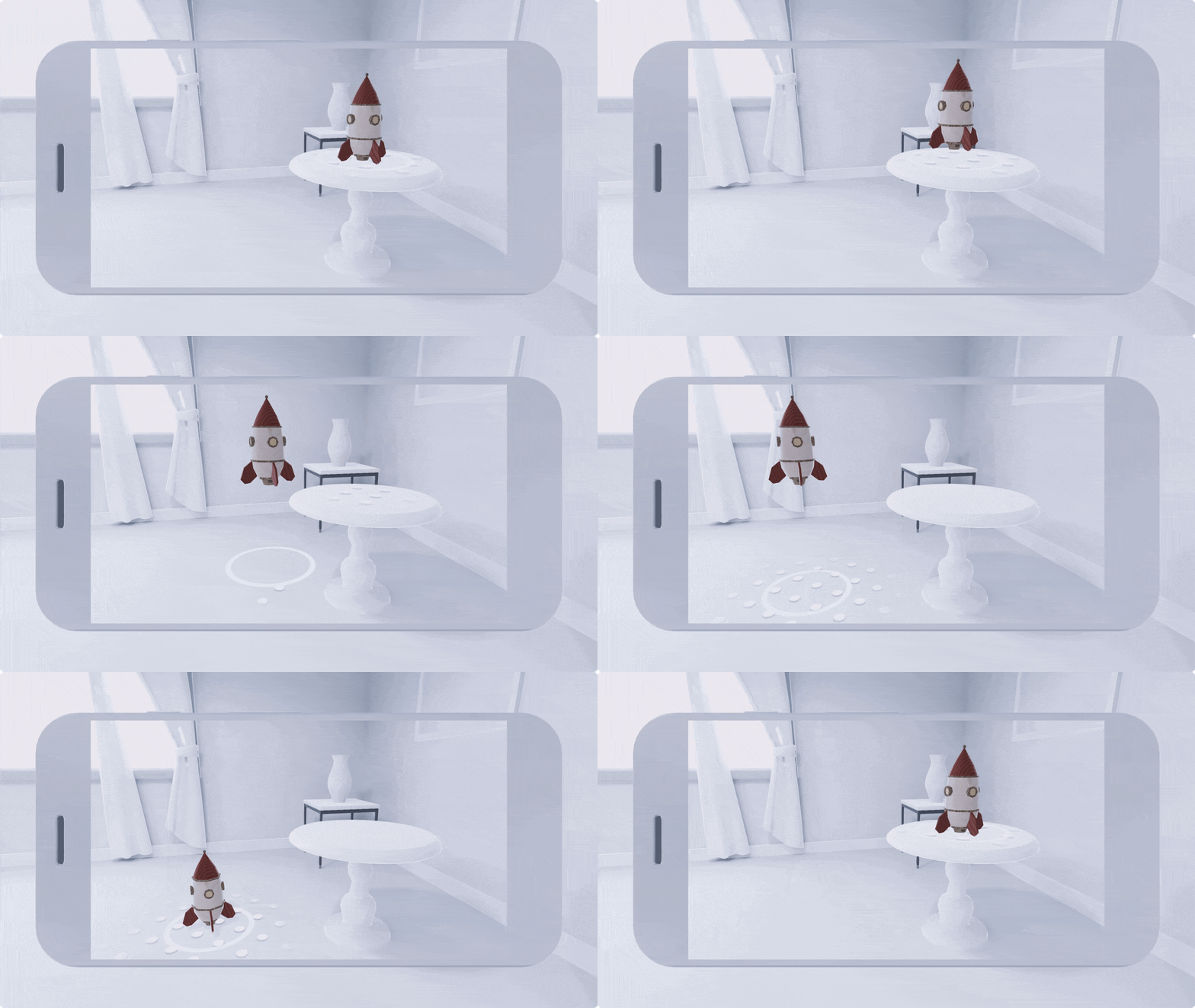 Source: link
After placing the object in the space, it's important to use right button placement to confirm the object's position and anchor it to a specific location in the room. This enables users to physically walk around the objects, interact with them, and examine these virtual objects from different perspectives and angles.
A great example is the Ikea AR app, which allows users to visualize furniture in their homes, place objects in a room, anchor them in specific positions, and explore whether they fit the room or not from various perspectives.
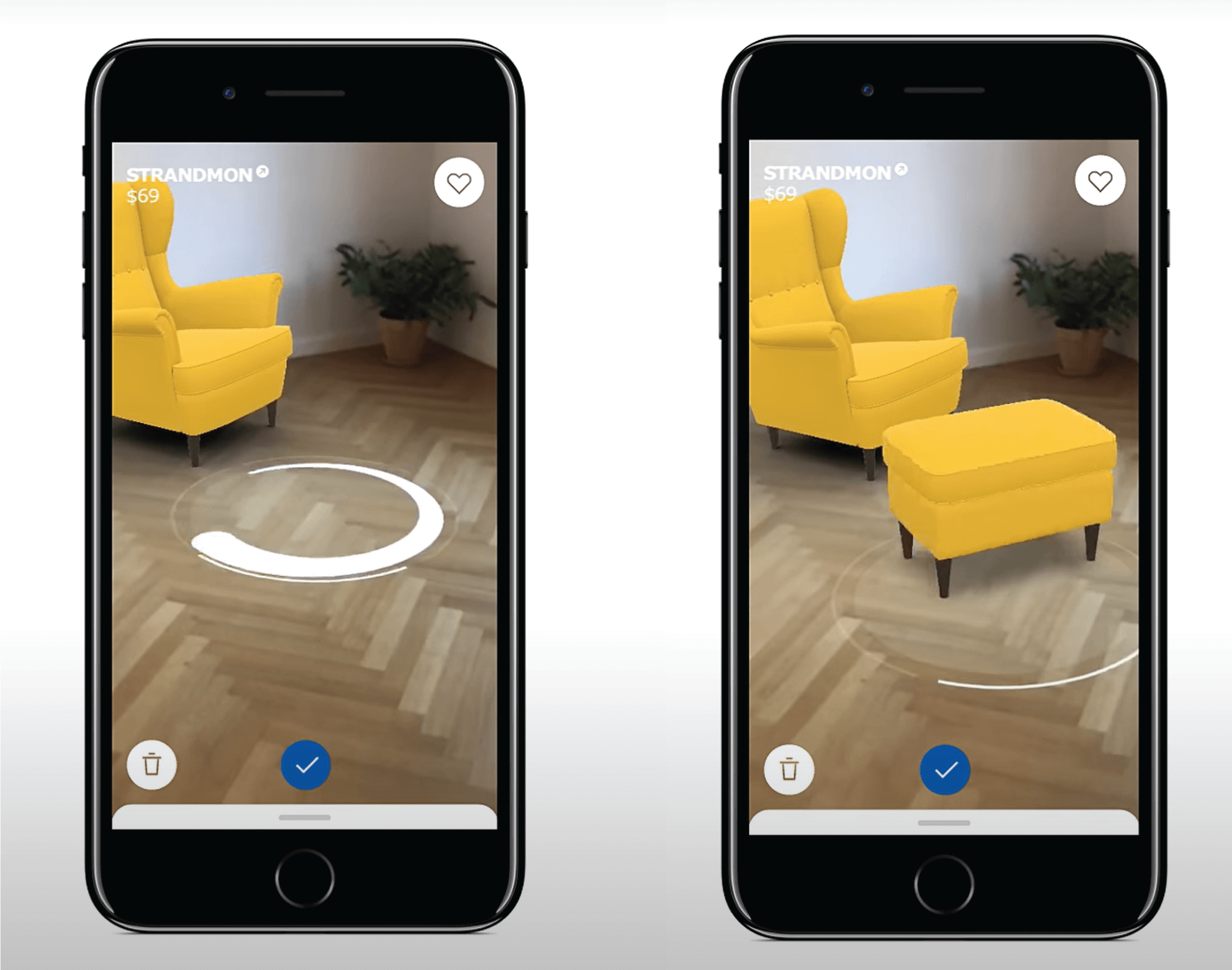 Source: link
Cross-platform compatibility and content adaptation
Designing is becoming increasingly important in 3D immersive environments and significantly departing from the traditional 2D screen design intended for mobile phones, tablets, and desktop devices. Because users can access virtual AR content on AR glasses and different devices it's crucial to ensure that the content remains consistent and compatible across different platforms when designing the interface. To properly ensure compatibility, it's important to follow the design guidelines, recommendations and standards so the AR content stays consistent, intuitive and engaging across different platforms. Google has a set of design guidelines for ARCore apps and Apple has a set of design guidelines for ARKit apps. By following each AR platform's design guidelines and best practices, you can ensure that your AR application meets the expectations and requirements of each AR platform and its users.
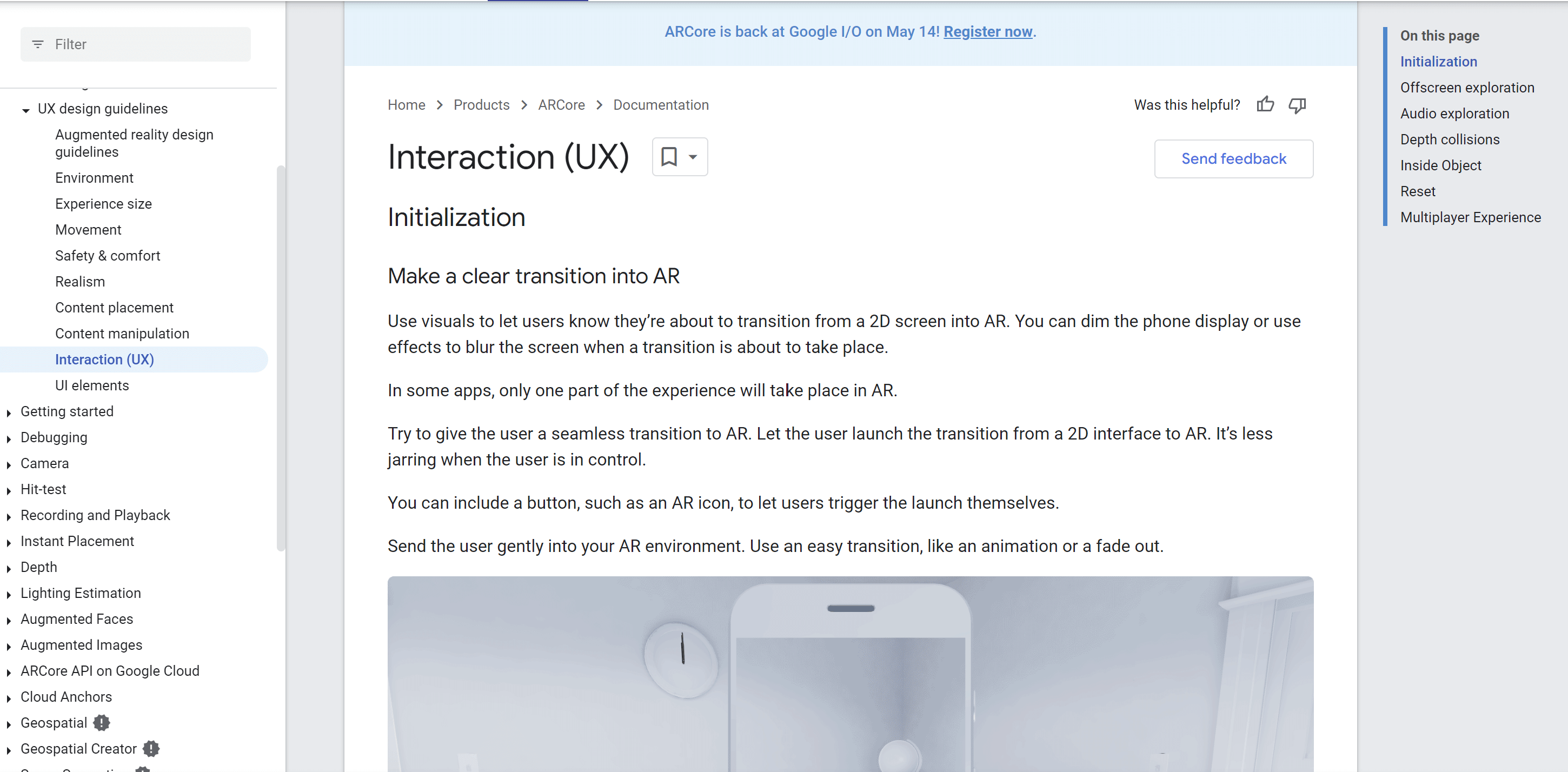 Source: link
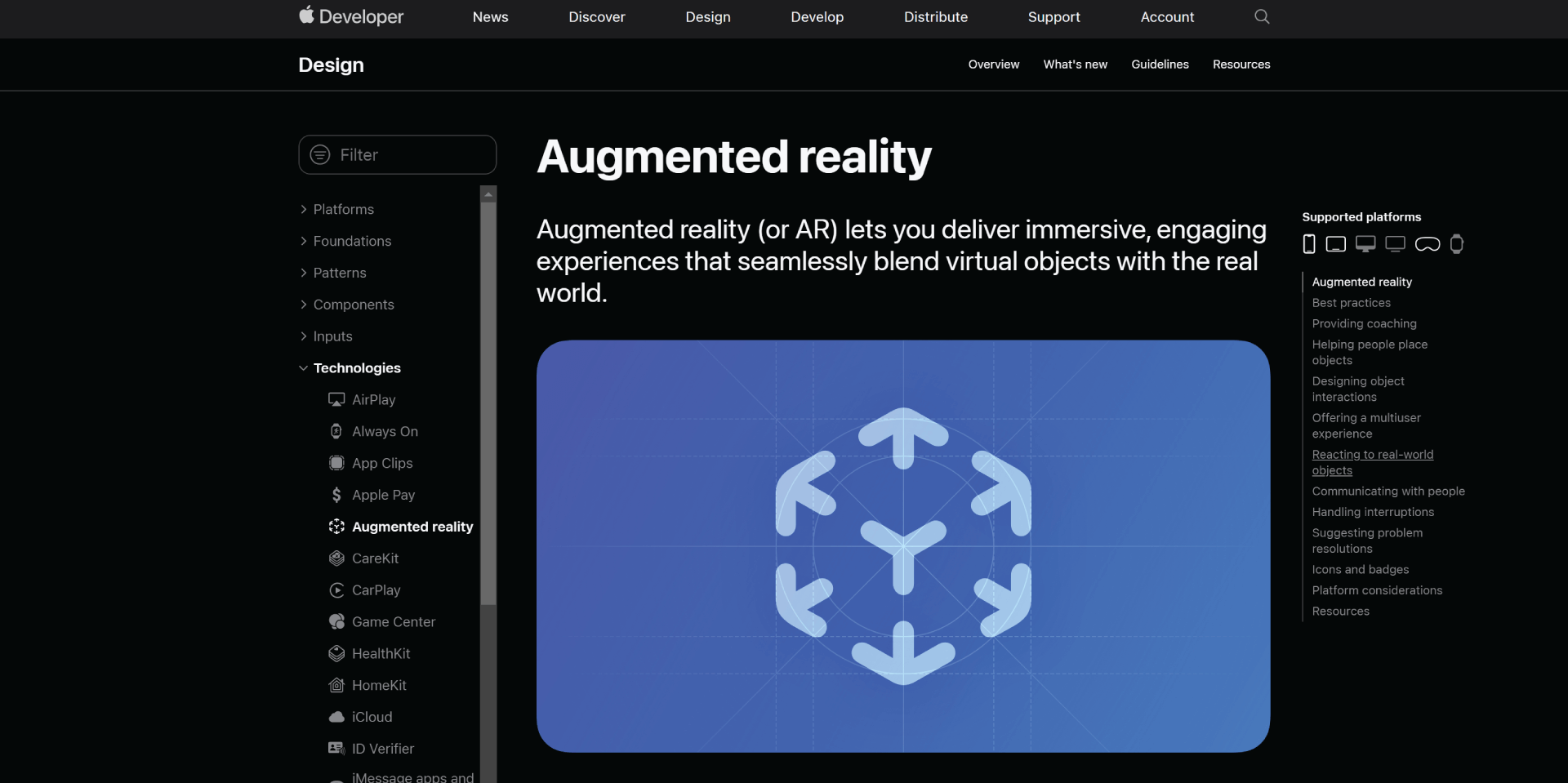 Source: link
But some things didn't change
To enhance the user experience and reduce user frustration when integrating immersive technologies into product design, it's vital to conduct both qualitative and quantitative user research in the early stage. Similar to 2D environment design, defining the target audience, their needs, preferences, and pain points is essential in this process. Research provides designers with valuable context for understanding how AR technology will be utilized, enabling them to identify the most appropriate and intuitive methods for user interaction with virtual objects in virtual space.
Last, but not least, it's important to involve the end user throughout the entire development process and conduct user testing to gather relevant feedback from the early stages of the design process to the final presentation.
Related Articles
Wist vs CherryPeak - BlackMirror-like AR Apps comparison
Looking for an AR app that provides an immersive and engaging experience? Check out Cherry!
Mar 8, 2023
6 min read
The Perfect Match: Translating Mesh into a MetaHuman Identity
Turn your raw 3D scan into a riggable MetaHuman. From trimming the mesh in Blender to Identity Solve and building the character in Unreal Engine, the face of your digital twin.
Dec 18, 2025
6 min read
Scanning 101: Turning Photos into a 3D Mesh
Learn how to capture a high-quality 3D scan of your face using photogrammetry. From Apple's Object Capture to Polycam, discover the tools and techniques for creating the foundation of your MetaHuman.
Dec 10, 2025
4 min read